
Turn SharePoint Documents into Podcasts with Copilot

Copilot can transform the content of a SharePoint document into an AI-generated audio overview or a conversational podcast-style experience.
Most organizations don't have a shortage of information. Rather, they have a shortage of ways for people to actually consume it.
Policies, procedures, reports, training material, and project documentation accumulate in SharePoint libraries every day. The information might be useful, current, and well organized but somebody still has to find the document and actually read it.
Copilot in SharePoint now provides another option.
Select a document, generate an audio overview, and then turn that overview into a podcast-style conversation.
That may sound like a small convenience, but I think it represents something much more interesting... SharePoint content is increasingly becoming something that can be transformed to fit the way a user wants to consume it, rather than simply stored and retrieved.
With the pace at which this technology is evolving, I find myself squeezing new information into my day wherever I can fit it. Whether I’m cutting the grass, doing the dishes, or pedaling a bike, I enjoy turning those activities into opportunities to learn. This gives us another great way to do exactly that.
Generating an audio overview from SharePoint
From the document library, select the file you want to work with.
Open the file's menu and choose:
Copilot → Create an audio overview
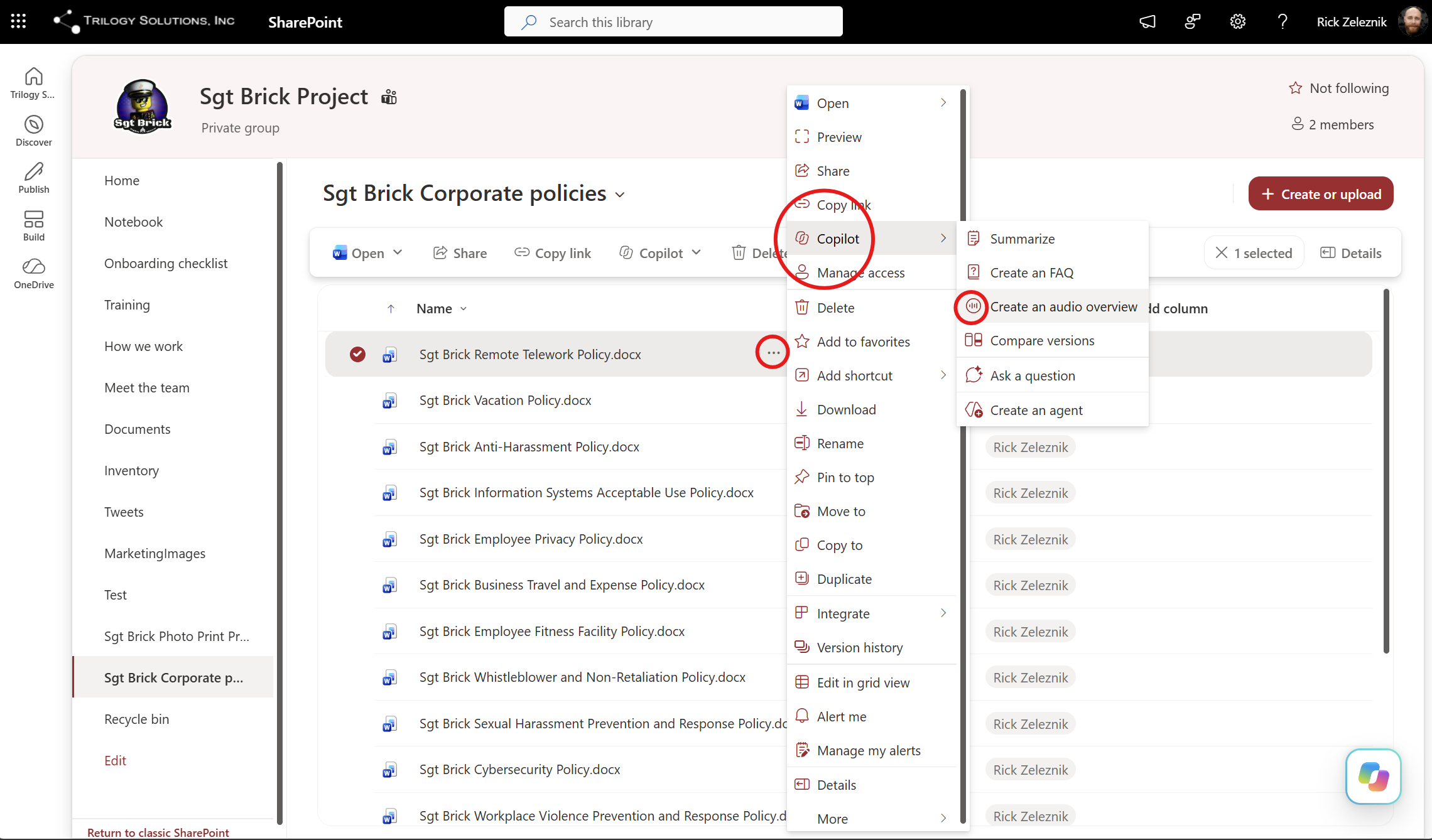
Copilot then analyzes the source document and generates an audio overview based on its contents. The audio player appears directly in the SharePoint experience, with normal playback controls and the ability to jump forward or backward.
But there are a few additional options hidden behind the menu that make the feature even more interesting.
Users can:
- Save the generated audio to OneDrive
- View a transcript
- Switch to podcast style
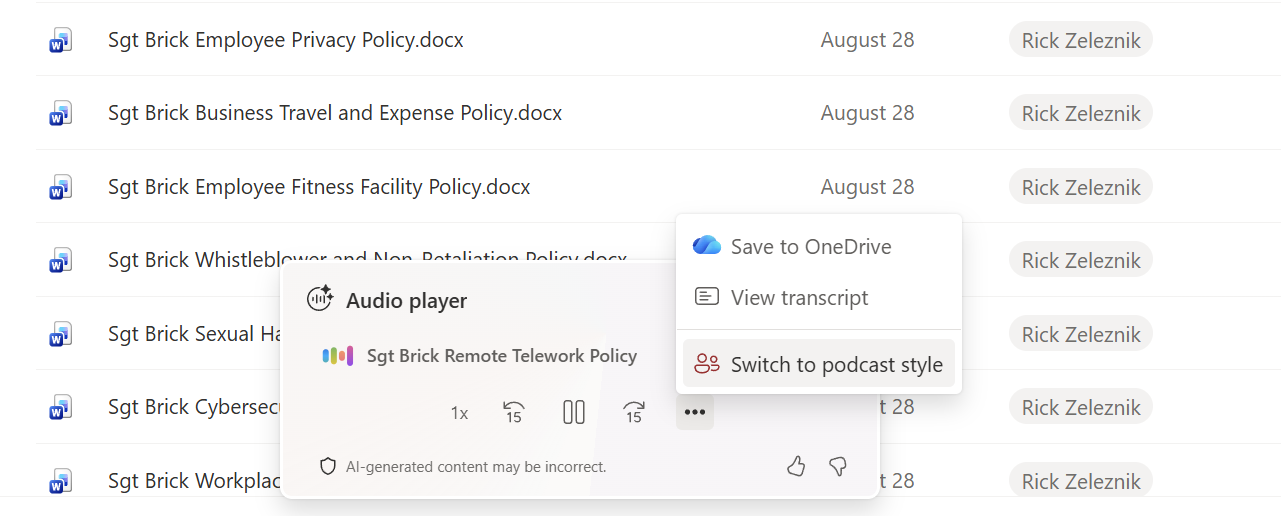
That last option is where this becomes something quite different from ordinary text-to-speech.
Audio overview vs. podcast style
The initial audio overview isn't the end of the experience. As shown above, SharePoint also provides a Switch to podcast style command.
Instead of simply converting written text into spoken text, Copilot is effectively repackaging the information for a different medium.
The authoritative source remains the SharePoint document, but the presentation of that information can change based on how the user wants to consume it.
When you're done, select Save to OneDrive to save a portable audio file that you can keep for later or share with colleagues.
This is another example of Copilot changing the relationship between users and the information already stored in Microsoft 365. The value isn't necessarily in creating more content. In many cases, it's in making the content we already have easier to understand, easier to access, and easier to consume in the moment.